
Revenue Operations
Recurring Contracts
Organize recurring work, contract cadence, and billing with a cleaner system than ad hoc reminders.
View feature
Plan the day on a clear calendar, move jobs quickly, and keep routing more organized.
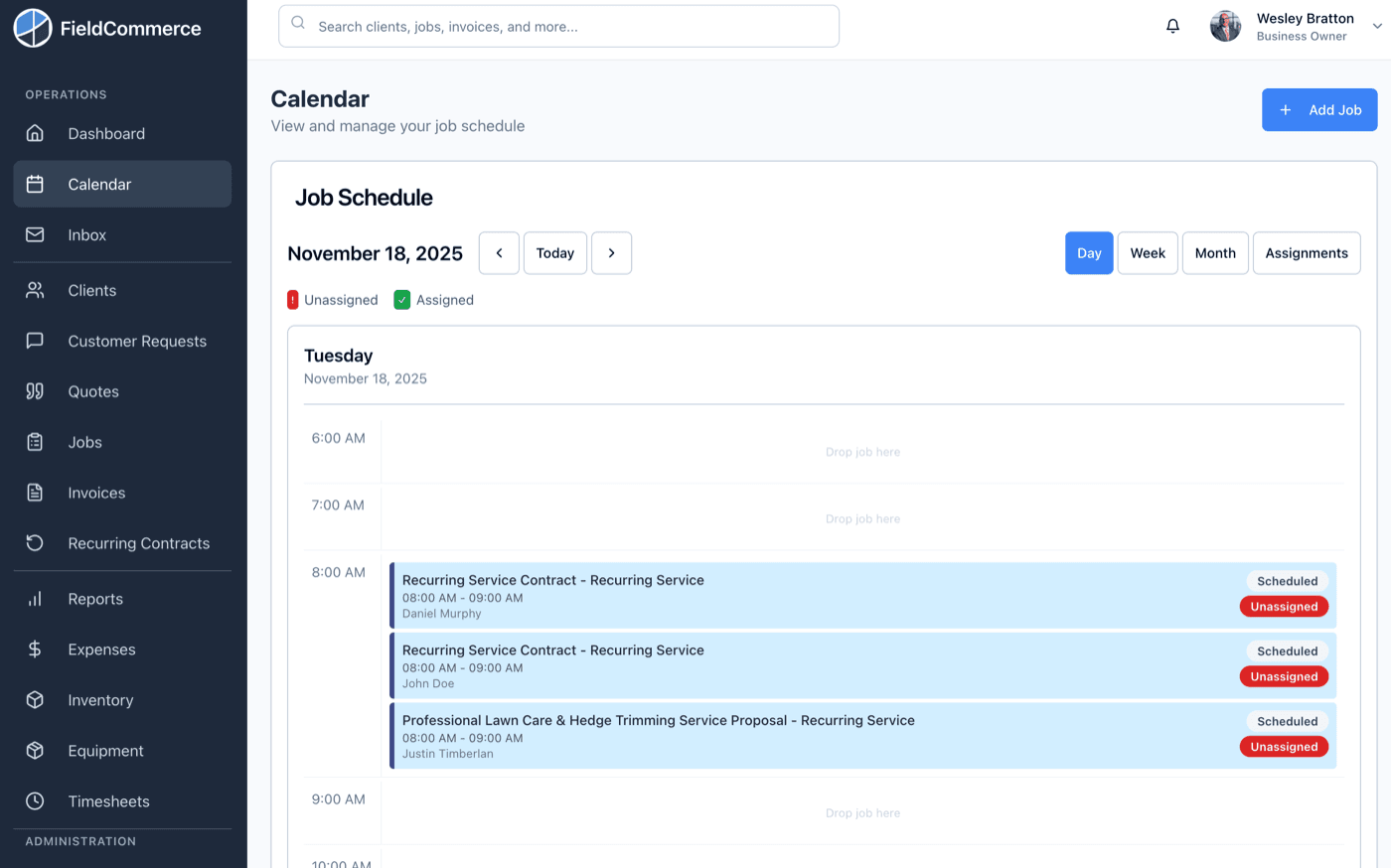
See the whole day on one calendar, move work quickly when the schedule changes, and keep mapping close to the workflow so the office is not juggling separate tools.
If these pains feel familiar, this feature is designed to remove them from the daily routine.
Dispatch changes take too long when the calendar is not visual.
Office staff waste time copying addresses into another map tool.
The team's day becomes harder to adjust once the schedule starts moving.
Routing is treated as a side task instead of part of the scheduling flow.
From the first action to the finished outcome, this is the flow the team follows inside FieldCommerce.
Use a schedule view that helps the office understand team workload and job timing at a glance.
Move jobs around quickly when customers reschedule, priorities change, or the route needs cleanup.
Keep location context attached to scheduling so the office is not juggling a second tool for every change.
The biggest gains usually come from removing scattered manual steps, duplicate entry, and routine follow-up work.
Copy-pasting addresses into separate map tools
Explaining schedule changes over calls and texts
Reworking route order by hand every time the day shifts

Owners, office staff, and field teams each get something different from the same workflow.
Keep the day tighter and reduce wasted drive time without turning routing into another admin project.
Move jobs faster, see team capacity sooner, and keep location context inside the scheduling flow.
Get a cleaner day plan with less confusion about what moved and where to go next.
Straight answers on where this capability fits into the day-to-day workflow.
It is built around field work. You can see team workload, move jobs quickly, and keep location context attached to the schedule instead of managing the route somewhere else.
Yes. Mapping and route planning sit alongside the schedule, so the office can organize the day by location without copying addresses into a separate map tool.
Dispatchers and office staff usually feel it first because they spend less time rearranging the day and less time copying addresses into a second tool.
These features usually matter next because they solve the connected admin and operations work around the same job.
Organize recurring work, contract cadence, and billing with a cleaner system than ad hoc reminders.
Capture service requests in a more organized format and turn intake into action with less manual cleanup.
Answer the 7am questions about today, overdue invoices, revenue, and follow-ups before the day starts.
See how the same workflow applies to the trades where it matters most.
Bring scheduling, customer communication, invoicing, and back-office work into one system that is easier for the whole team to run.