
Lead Intake
Request Forms and Customer Self-Service
Capture service requests in a more organized format and turn intake into action with less manual cleanup.
View feature
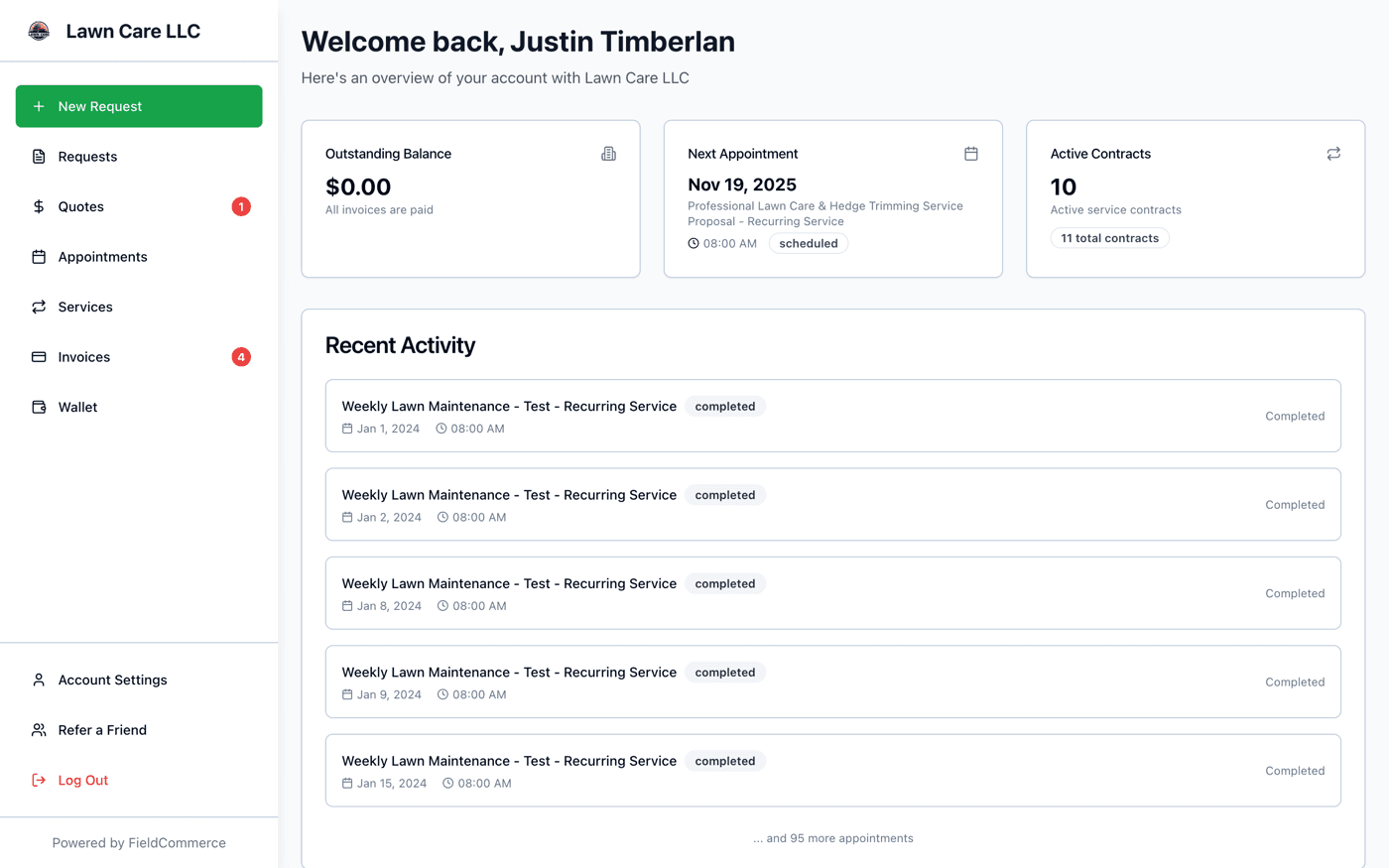
Give customers one place for quotes, invoices, appointments, requests, and account history.
Instead of chasing updates across calls, texts, and emailed PDFs, give customers a self-service workspace that keeps the entire relationship organized.
If these pains feel familiar, this feature is designed to remove them from the daily routine.
Your office keeps answering the same status questions by phone and text.
Customers ask for old invoices or quote links that should be easy to find.
Payment gets delayed when there is no simple self-service path.
Job history, account notes, and communication live in too many places.
From the first action to the finished outcome, this is the flow the team follows inside FieldCommerce.
Send a secure access link so customers can reach their account without another long onboarding flow.
Customers can open quotes, pay invoices, review appointments, and submit requests from the same portal.
Portal actions feed back into your team workflow so follow-up work is easier to track and complete.
The biggest gains usually come from removing scattered manual steps, duplicate entry, and routine follow-up work.
Resending invoice PDFs and quote links by hand
Answering status questions that could be self-serve
Digging through notes to reconstruct customer history

Owners, office staff, and field teams each get something different from the same workflow.
Spend less time on admin and give customers a more professional experience without adding headcount.
Cut repetitive support work and keep billing, scheduling, and customer history easier to access.
Arrive with cleaner context because appointment and account details are easier for the whole team to share.
Straight answers on where this capability fits into the day-to-day workflow.
They can review quotes, pay invoices, check appointments, and revisit prior account activity without calling the office for every update.
Yes. It gives customers a direct place to view open invoices and complete payment without extra back-and-forth.
No. It is meant to reduce routine admin and keep common account actions organized, not eliminate human service where it matters.
These features usually matter next because they solve the connected admin and operations work around the same job.
Capture service requests in a more organized format and turn intake into action with less manual cleanup.
One tap turns the finished job into an invoice, and your crew collects with Tap to Pay on their phone, cash, check, or a text-to-pay link on the spot.
Keep company details, clients, invoices, and expenses aligned with QuickBooks Online.
See how the same workflow applies to the trades where it matters most.
Bring scheduling, customer communication, invoicing, and back-office work into one system that is easier for the whole team to run.