
Dispatch & Scheduling
Scheduling and Routing
Plan the day on a clear calendar, move jobs quickly, and keep routing more organized.
View feature
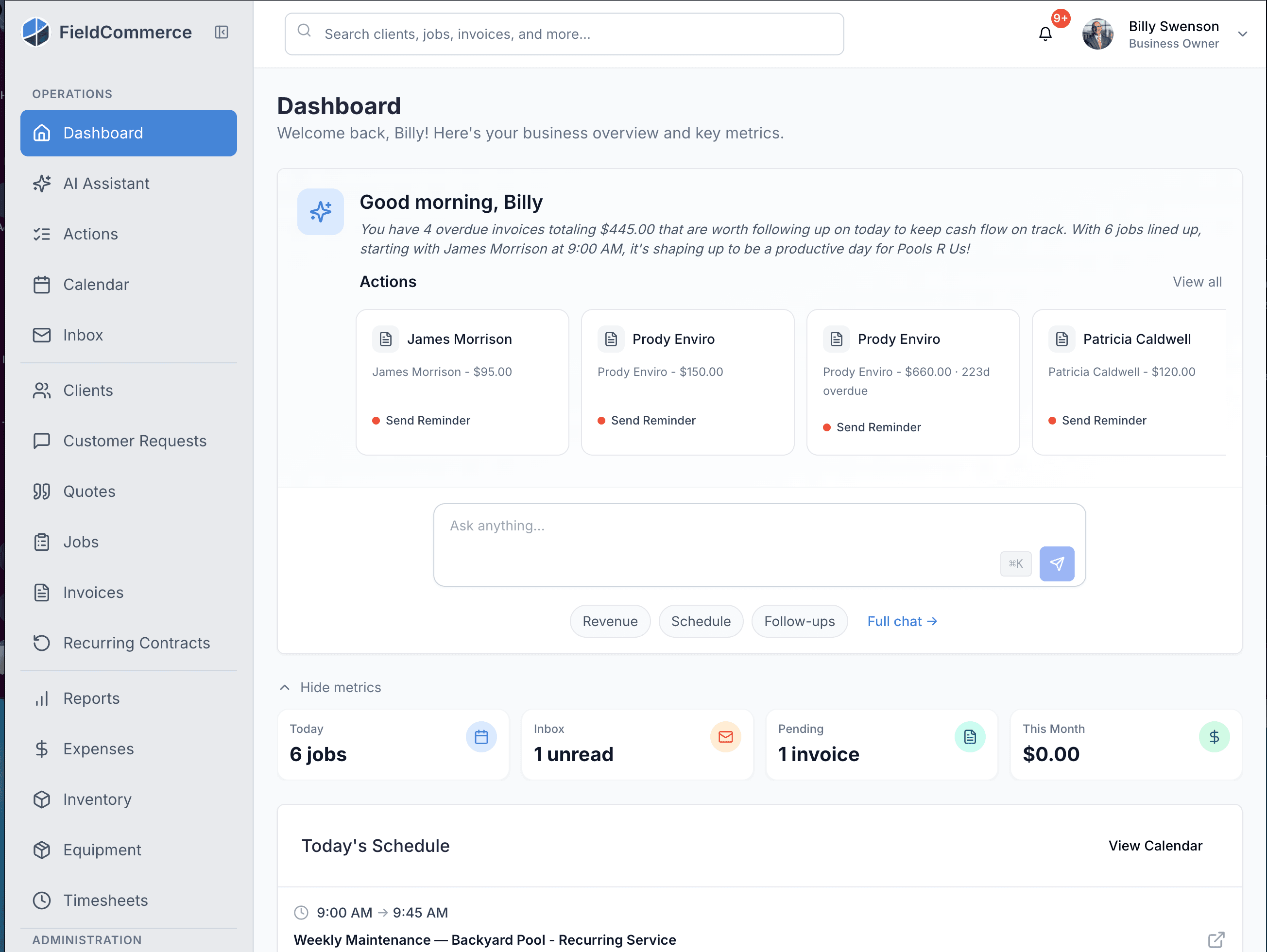
Answer the 7am questions about today, overdue invoices, revenue, and follow-ups before the day starts.
FieldCommerce uses AI to answer practical operational questions fast: what the team is doing today, what is overdue, where revenue stands, and what needs follow-up before it goes cold.
If these pains feel familiar, this feature is designed to remove them from the daily routine.
Owners start the day by opening multiple screens just to understand what matters first.
Revenue and collections questions are easy to ask but slow to answer.
Follow-up work falls behind because the signal is buried in the rest of the day.
Most AI features sound impressive but never tell you anything concrete about your own business.
From the first action to the finished outcome, this is the flow the team follows inside FieldCommerce.
Summarize schedule context, overdue invoices, and follow-up work in plain language before the team starts moving.
Flag the items that matter now, such as aging quotes, overdue payments, or unexpected gaps in the day.
Use AI as a faster readout for operations, not as a replacement for judgment or customer service.
The biggest gains usually come from removing scattered manual steps, duplicate entry, and routine follow-up work.
Checking multiple dashboards every morning
Pulling overdue invoice context manually
Remembering which quotes or requests need follow-up

Owners, office staff, and field teams each get something different from the same workflow.
Start the day with a faster read on schedule, cash flow, and follow-up risk.
Use clearer prompts to prioritize billing and customer communication work.
See issues sooner and focus the team on exceptions instead of hunting through routine noise.
Straight answers on where this capability fits into the day-to-day workflow.
Operational intelligence. It answers the questions owners already ask about the schedule, cash flow, and follow-ups. It does not run the business for you.
Today's schedule summary, overdue invoice guidance, monthly revenue context, and quote follow-up prompts.
Owners and office leads who want a faster read on the day. It helps them prioritize without opening five different screens before breakfast.
These features usually matter next because they solve the connected admin and operations work around the same job.
Plan the day on a clear calendar, move jobs quickly, and keep routing more organized.
One tap turns the finished job into an invoice, and your crew collects with Tap to Pay on their phone, cash, check, or a text-to-pay link on the spot.
Capture service requests in a more organized format and turn intake into action with less manual cleanup.
See how the same workflow applies to the trades where it matters most.
Bring scheduling, customer communication, invoicing, and back-office work into one system that is easier for the whole team to run.