
Finance & Back Office
QuickBooks Sync
Keep company details, clients, invoices, and expenses aligned with QuickBooks Online.
View feature
Keep operational records cleaner for equipment, parts, and expenses that impact the real cost of work.
Field service software should help you understand what the work actually costs. Equipment records, expenses, and job-cost context make the back office easier to run and margins easier to protect.
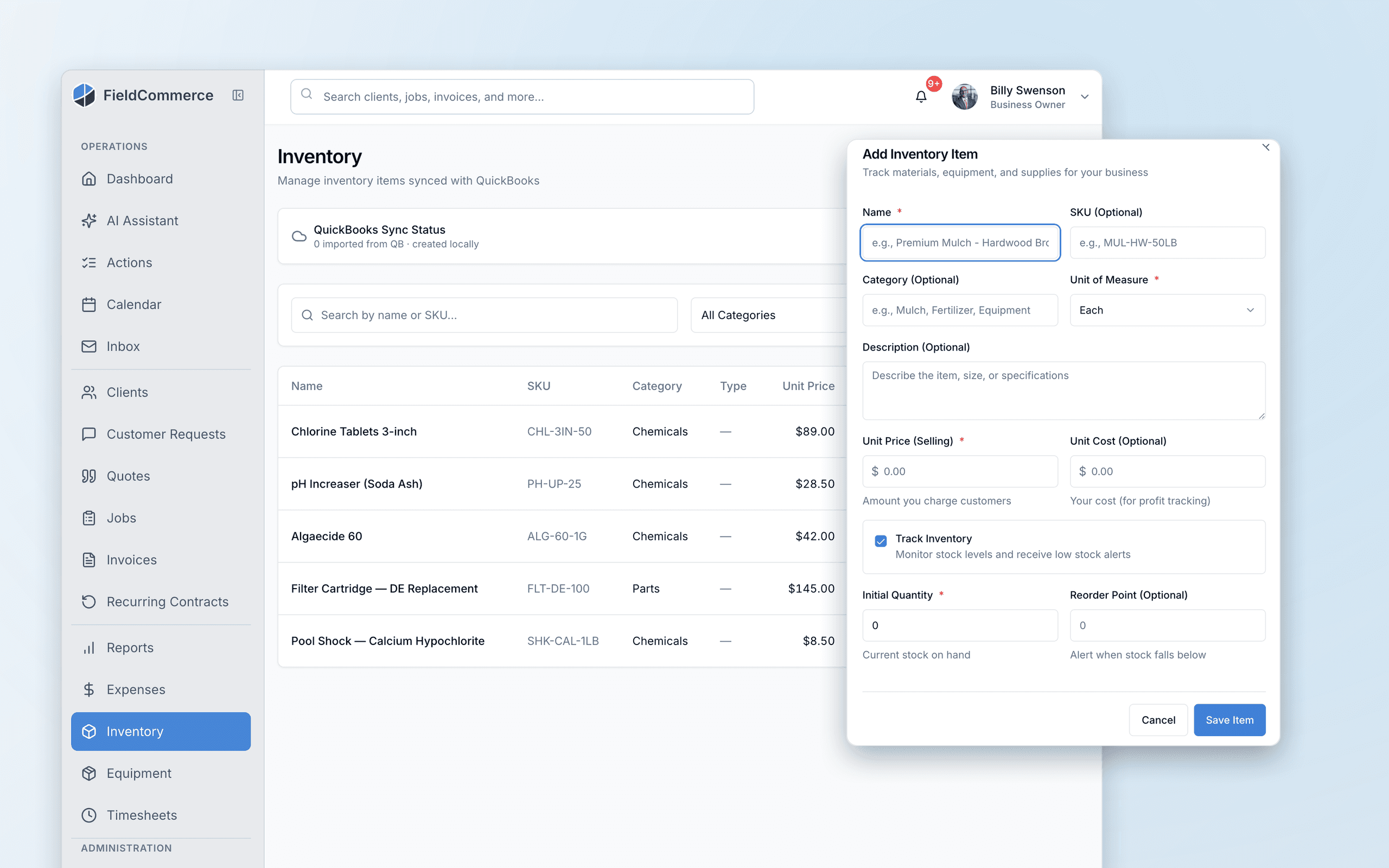
If these pains feel familiar, this feature is designed to remove them from the daily routine.
Equipment records, receipts, and expense notes are scattered across tools.
Teams lose track of the real cost of work because parts and expenses are not organized well enough.
Operational overhead grows as the business grows, and ad hoc processes start to break.
It becomes harder to protect margin when job-cost context lives in too many places.
From the first action to the finished outcome, this is the flow the team follows inside FieldCommerce.
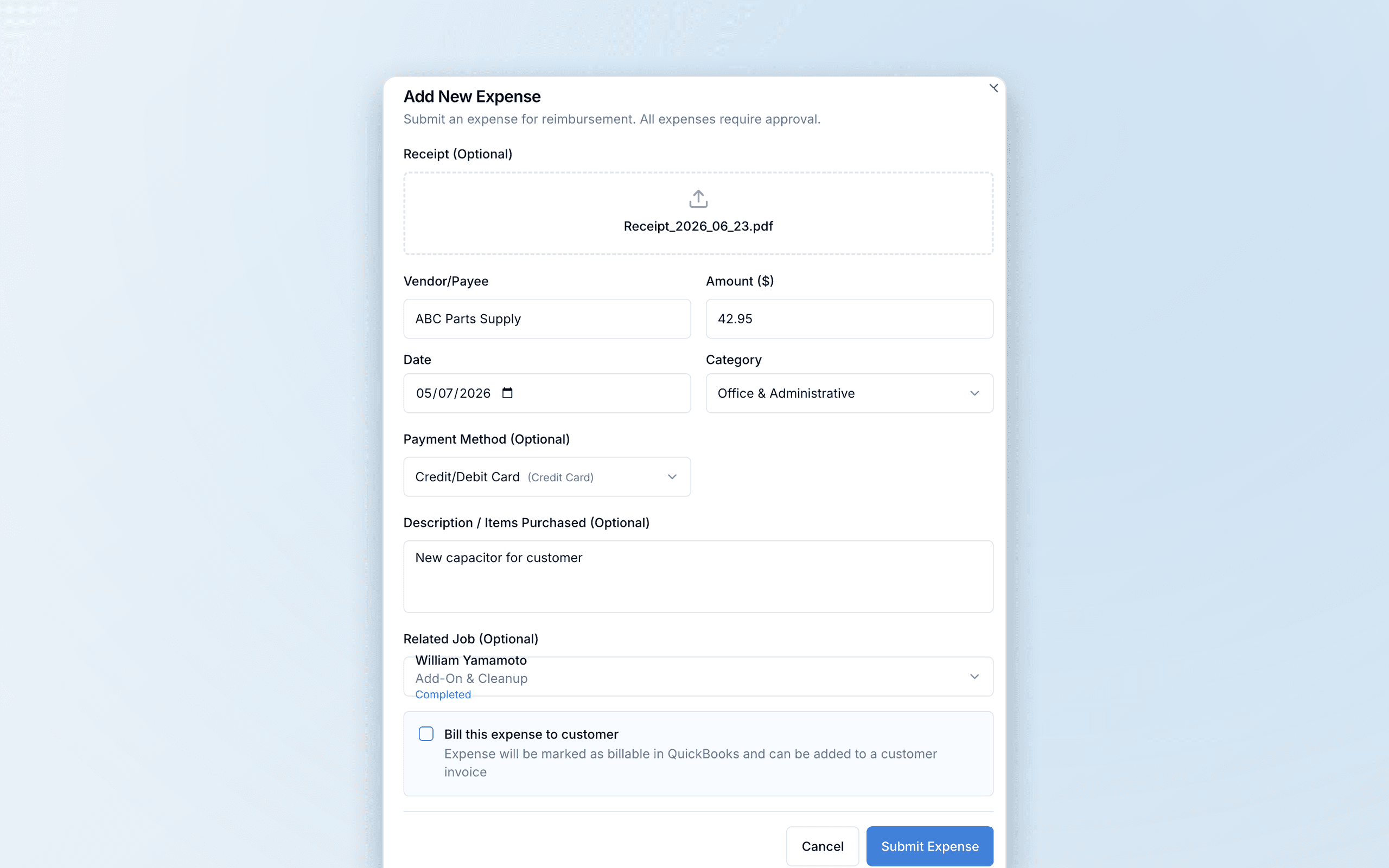
Log equipment details, expenses, or receipts where they belong instead of leaving them in side systems.
Keep job context and supporting cost details closer together so profitability is easier to understand.
Use that operational detail to support reporting and accounting without rebuilding the cost story later.
The biggest gains usually come from removing scattered manual steps, duplicate entry, and routine follow-up work.
Tracking receipts outside the operating system
Estimating job cost from incomplete notes
Managing equipment context in a separate spreadsheet
Owners, office staff, and field teams each get something different from the same workflow.
Get a better line of sight into operational cost without building your own side spreadsheets.
Keep receipts, expenses, and supporting records easier to organize across the team.
Track the equipment and cost context around the work, not just the customer-facing activity.
Straight answers on where this capability fits into the day-to-day workflow.
Because profitable growth depends on more than getting the job booked. You also need a cleaner view of parts, expenses, and the real cost behind the work.
Equipment records, expense detail, and job-cost context stay attached to the jobs and customers they belong to, so you keep control without turning everything into a spreadsheet exercise.
Owners, operations leads, and office staff who need better cost visibility as the company grows.
These features usually matter next because they solve the connected admin and operations work around the same job.
Keep company details, clients, invoices, and expenses aligned with QuickBooks Online.
One tap turns the finished job into an invoice, and your crew collects with Tap to Pay on their phone, cash, check, or a text-to-pay link on the spot.
Answer the 7am questions about today, overdue invoices, revenue, and follow-ups before the day starts.
See how the same workflow applies to the trades where it matters most.
Bring scheduling, customer communication, invoicing, and back-office work into one system that is easier for the whole team to run.