
FieldCommerce vs Zuper
Zuper pitches itself as an "AI Operating System for service businesses", sold through a demo, with route optimization from its Core plan up and Tap to Pay charged per user each month. FieldCommerce is ready the day you sign up: try it free for 30 days and get the full platform and AI on every plan.
The short answer
Zuper is a configurable platform sold through sales. FieldCommerce is ready to run your shop the day you sign up.
Choose FieldCommerce if
- You want to start this week without a sales demo
- You want route optimization and Tap to Pay without extra per-user charges
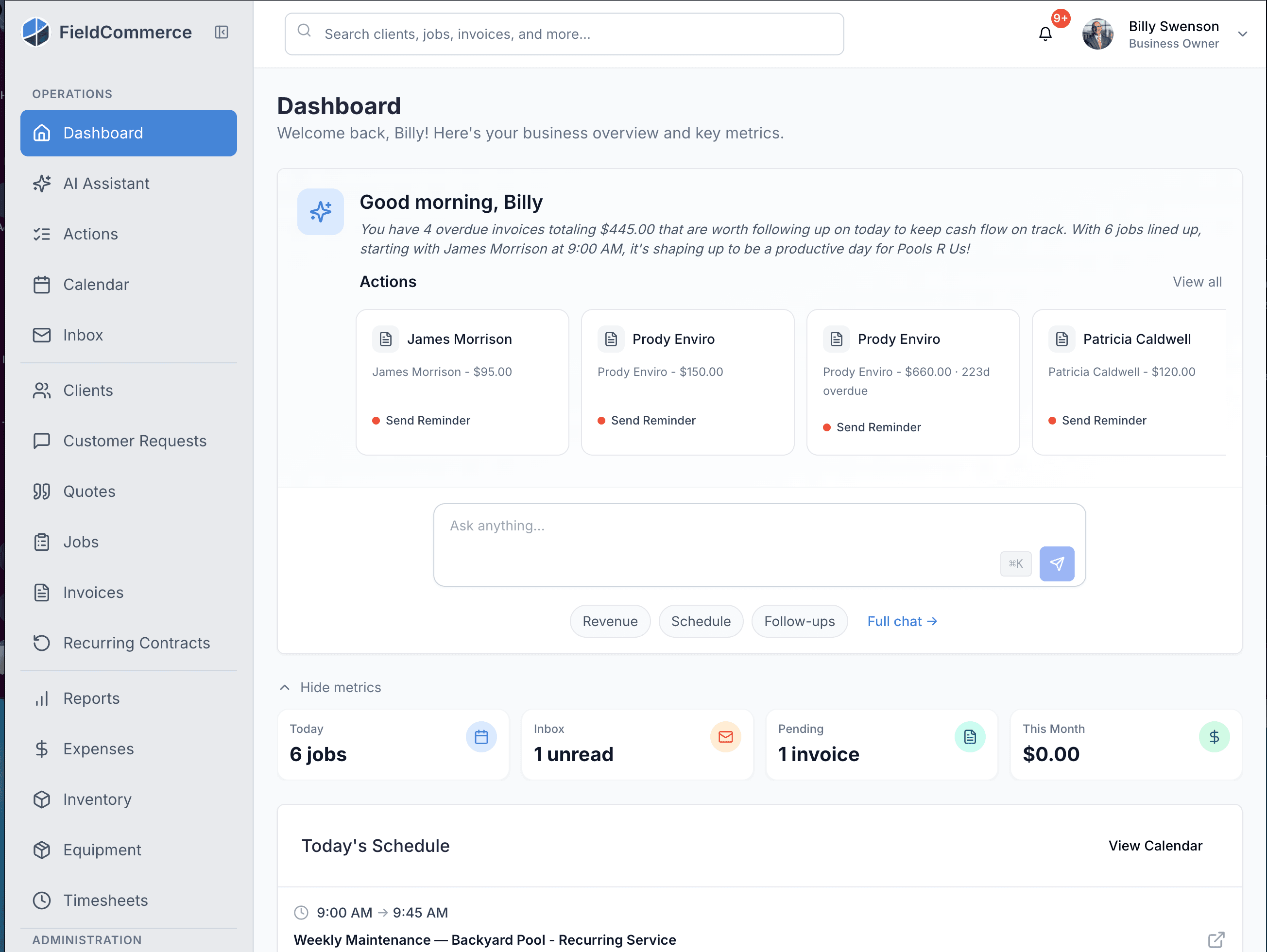
- You want AI that books jobs and briefs you each morning, already switched on
- You want free data import and onboarding, not a scoped implementation
Where FieldCommerce comes out ahead
Both handle the basics. These are the differences that change how your week goes.
As you grow
Getting started
What's included
Route optimization
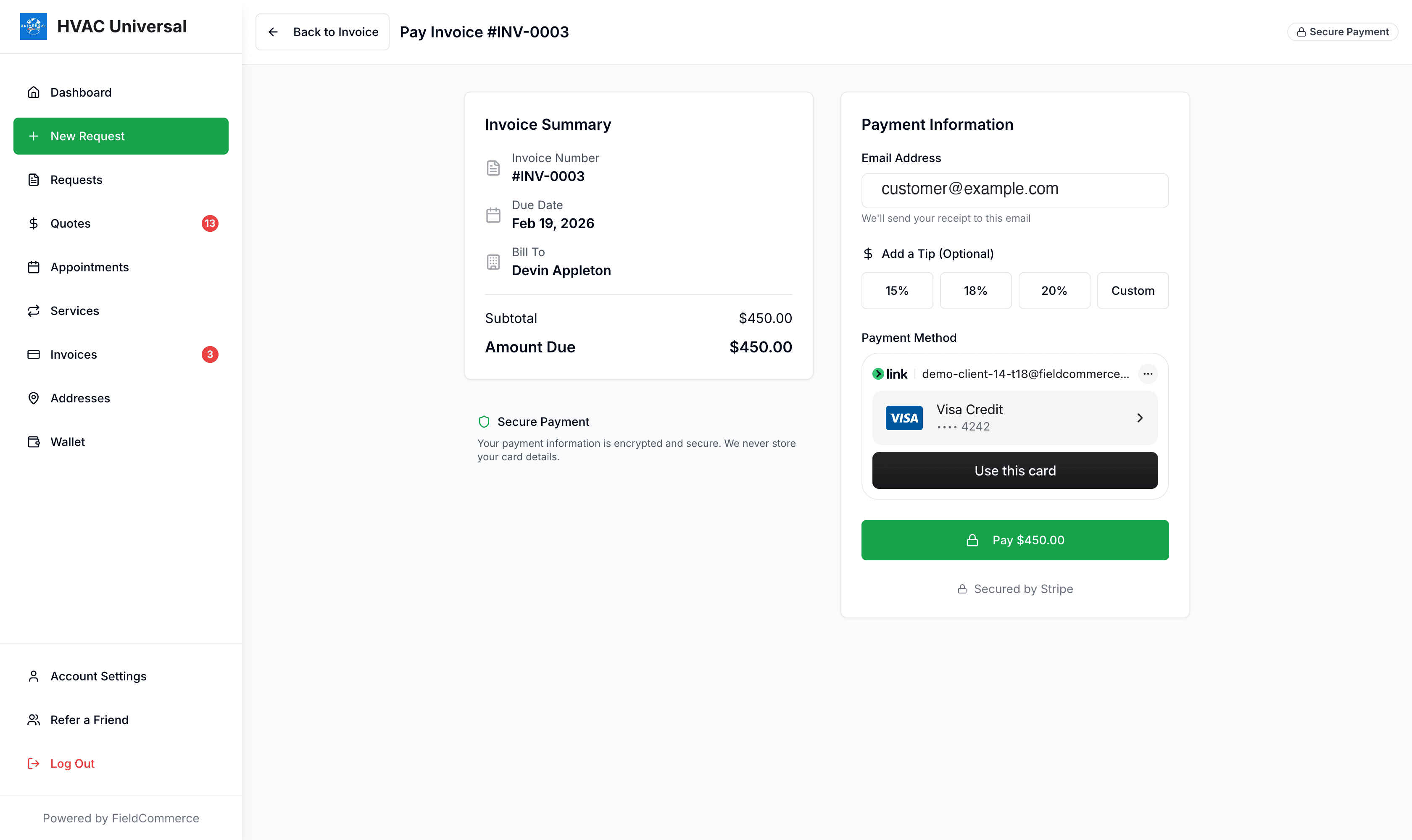
Tap to Pay
Onboarding
AI
Both handle the basics
Where they really differ
Per-user charges that add up
Zuper prices its plans per user, and its ZuperPay fee schedule adds $4 per user per month for Tap to Pay on iPhone or Android. Every FieldCommerce plan includes the full platform and Tap to Pay with no extra hardware and no add-on fees.
Routing isn't an upgrade
Zuper's own blog puts route optimization and recurring routes on its Core plan, not Starter. FieldCommerce lets you optimize the day's routes from the calendar on every plan.
Start today, not after a demo
Zuper's homepage leads with "Schedule a Demo". FieldCommerce is self-serve: sign up, import your customers, and run real jobs for 30 days before you decide.
Onboarding without a price tag
Zuper's fee schedule charges a one-time fee starting at $2,000 to import saved card records. FieldCommerce imports your customers, jobs, invoices, and settings for free, with a real person handling the onboarding.
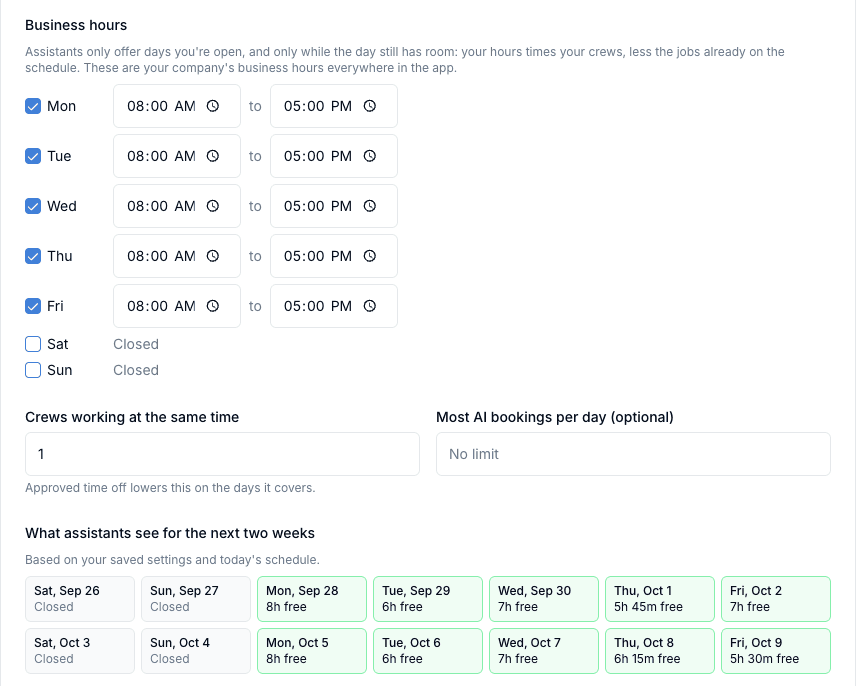
See what comes on every plan
Real screens from FieldCommerce, with nothing extra to unlock.
Switching from Zuper
You do not have to rebuild your customer list by hand.
- 1
We import your data
Send us an export and we bring over your customers, jobs, invoices, and settings for free, with a real person handling the onboarding.
- 2
Connect QuickBooks
Link QuickBooks Online and customers, invoices, and payments sync automatically from then on.
- 3
Run one cycle side by side
Keep your old system read-only for a billing cycle while your techs work from the FieldCommerce app, then switch it off.
- 4
Turn on payments and AI
Give your techs Tap to Pay on their own phones, invite customers to the portal, and switch on AI Booking and the morning briefing.
Frequently Asked Questions
Everything you need to know about switching from Zuper to FieldCommerce
Is FieldCommerce a good Zuper alternative?
Yes. FieldCommerce gives you self-serve signup, a 30-day free trial, and the full platform, including route optimization, Tap to Pay, AI Booking, and QuickBooks Online sync, on every plan.
Does FieldCommerce charge per user for Tap to Pay?
No. Tap to Pay is included on every plan, with no extra hardware and no add-on fees.
Can I migrate from Zuper?
Yes. We provide FREE DATA IMPORT assistance for customers, jobs, invoices, and settings, with dedicated onboarding support.
Do I need a demo to get started?
No. Sign up yourself and use it for 30 days free. If you'd like a walkthrough, our team is happy to give one.
Does FieldCommerce have AI features?
Yes, on every plan. AI Booking lets customers book you through AI assistants with your real availability, and the morning briefing flags overdue invoices, aging quotes, and today's schedule.
Keep reading
Zuper details come from zuper.co, its blog, and its published ZuperPay fee schedule, as of October 2026. Zuper does not publish plan prices, and features and fees change, so confirm anything important with Zuper directly.
Ready to upgrade from Zuper?
Experience the next generation of field service management. See why professionals are choosing FieldCommerce.
✓ Zero downtime migration ✓ Dedicated success manager ✓ No setup fees