
HVAC Invoicing App: What Works From the Truck
An HVAC invoicing app has to work in an attic with no bars and take payment before the van leaves. What to test, and what card fees cost a small shop.
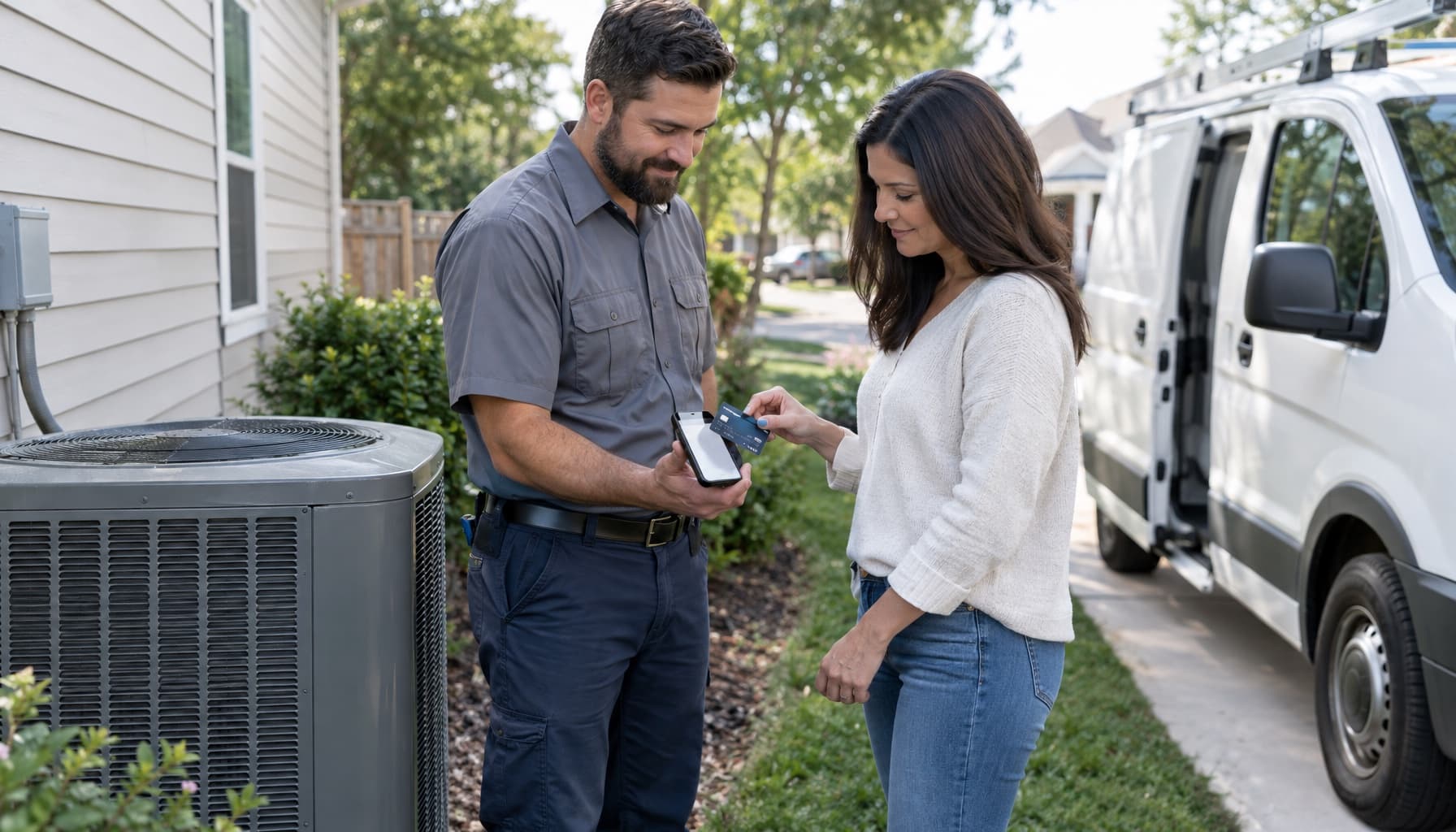
Type "hvac invoicing app" into Google and you get a stack of invoice generators, templates, and field service platforms, all showing a phone with a pretty invoice on it. The phone is never in an attic. It's never in a crawlspace behind a house with one bar of signal, held by a tech with a flashlight in their teeth.
That's where the invoice actually gets written. So that's where the app has to work.
We already wrote about HVAC invoicing software, meaning who should write the invoice and when. This one is narrower. It's about the phone in the tech's hand, and what happens in the five minutes after the work is done, which is the cheapest moment you'll ever have to get paid.
What an HVAC invoicing app has to survive
Most small shops test an app in the office, on wifi, with a demo job. Then they send it to the field and find out. Here's what to check before you hand anyone a phone.
Bad signal. ServiceTitan publishes what its field app can and can't do offline, which is useful because it shows where even the big product stops. Offline, a tech can update materials and equipment and take a keyed-in card, a check, ACH, or cash, and the payment sits on the device until it reconnects. Card swipe and Tap to Pay need a connection. Editing invoice tasks, price modifiers, and tax zones needs one too. Their own tip is to open the job while you're still online so the details are cached. That's a decent habit for any app. Ask every vendor the same question and watch how long the answer takes.
Who types the line items. If your tech has to build the invoice from scratch on a six-inch screen, they'll do it tired, in the driveway, and skip things. The refrigerant top-off goes missing. The capacitor never gets billed. Small leaks, every day. The better setup is that the invoice already exists from the job and the tech confirms it.
One template, every tech. Housecall Pro's own invoice-mistakes page lists inconsistent documentation among its eleven, and for once a vendor is right. If three techs describe the same repair three ways, your customer history is useless and your bookkeeper is guessing.
The invoice that gets written in the driveway gets paid. The one that gets written Thursday night at the kitchen table gets chased.
Taking payment before the van leaves
The reason to care about the app is the payment, not the PDF. Customers are the most willing to pay when the system is cooling again and the tech is standing there. Two days later it's a bill, and bills sit.
Tap to Pay on iPhone removed the card reader from this. Providers describe it as contactless cards and wallets on the tech's own phone with no extra hardware, though it needs a fairly recent iPhone, a current iOS, and an app that supports it. Check that your tech's actual phone qualifies before you roll out anything. Then check the fee, because that's where the vendors differ.
Here's what two of them publish:
- Jobber: 2.9% plus 30 cents for a credit card, 2.7% plus 30 cents for Tap to Pay, and 1% for ACH bank payments in the US.
- Housecall Pro: card processing "as low as 2.59%," and 1% for bank payments.
Run it on a $1,850 repair. At Jobber's published tap rate that's about $50 in fees. Take it by ACH and it's $18.50. That's roughly $32 on one invoice. A shop doing a few of those a week is deciding whether to leave a few hundred dollars a month on the table, and it costs nothing to offer the bank option first. Fees change, so confirm on the vendor's page before you decide.
It also matters what you do about slow payers. Our post on getting paid faster goes into days sales outstanding, but the short version is that the invoice sent on the spot is the lever you control most directly, and an app is what makes it possible.
Compare apps by what they leave behind
Two apps can both take a tap payment and still be very different on Monday morning. After the customer pays, ask where the invoice lands.
If you run QuickBooks Online, check which plan includes the sync. At the time of writing, Housecall Pro lists it on Essentials ($149 a month billed annually, 5 users) and Max, not on Basic at $59. Jobber lists it from the Connect plan, with the one-user Connect price at $99 a month billed annually and $29 a month for each extra user. Core, the cheap one, doesn't have it. So the app that looks like $29 or $59 in the ad is closer to $100 or $150 the minute you want your books to match your jobs. Both pages move often, so look again before you sign.
For an electrician the question shifts a little, since time and material jobs and permit work make the invoice bigger and messier. Our electrician invoicing software post covers that, and the electrical vertical page shows the same approach.
The starter apps (Jobber, Housecall Pro) are fine at the phone part. They leave the thinking to you. ServiceTitan goes deeper, but it's built and priced for much larger fleets.
Where FieldCommerce fits
FieldCommerce is built for shops running 1 to 8 trucks, usually with the owner still doing some of the work. On the invoicing side, the finished job becomes the invoice, using the services that were scheduled, so nobody rebuilds it from memory. The tech can collect with Tap to Pay on their own phone, or take cash, a check, or a texted payment link. If a customer has a card on file, it can charge automatically when the job completes. Invoices, customers, and payments sync to QuickBooks Online.
You can read the details on the invoicing and payments page, and the pricing page shows what's included at each level.
It won't fix a shop where nobody wants to close the job out. That part is a habit. But it takes away the excuse that closing out is a chore.
If you want to try it on a real job, get started and run one invoice from your own driveway, or see how a call runs on the HVAC vertical page.