
HVAC Invoicing Software: Who Writes the Invoice, and When
HVAC invoicing software judged on what matters: refrigerant, serials, and waived diagnostics on the ticket, written at the truck, not at the kitchen table.
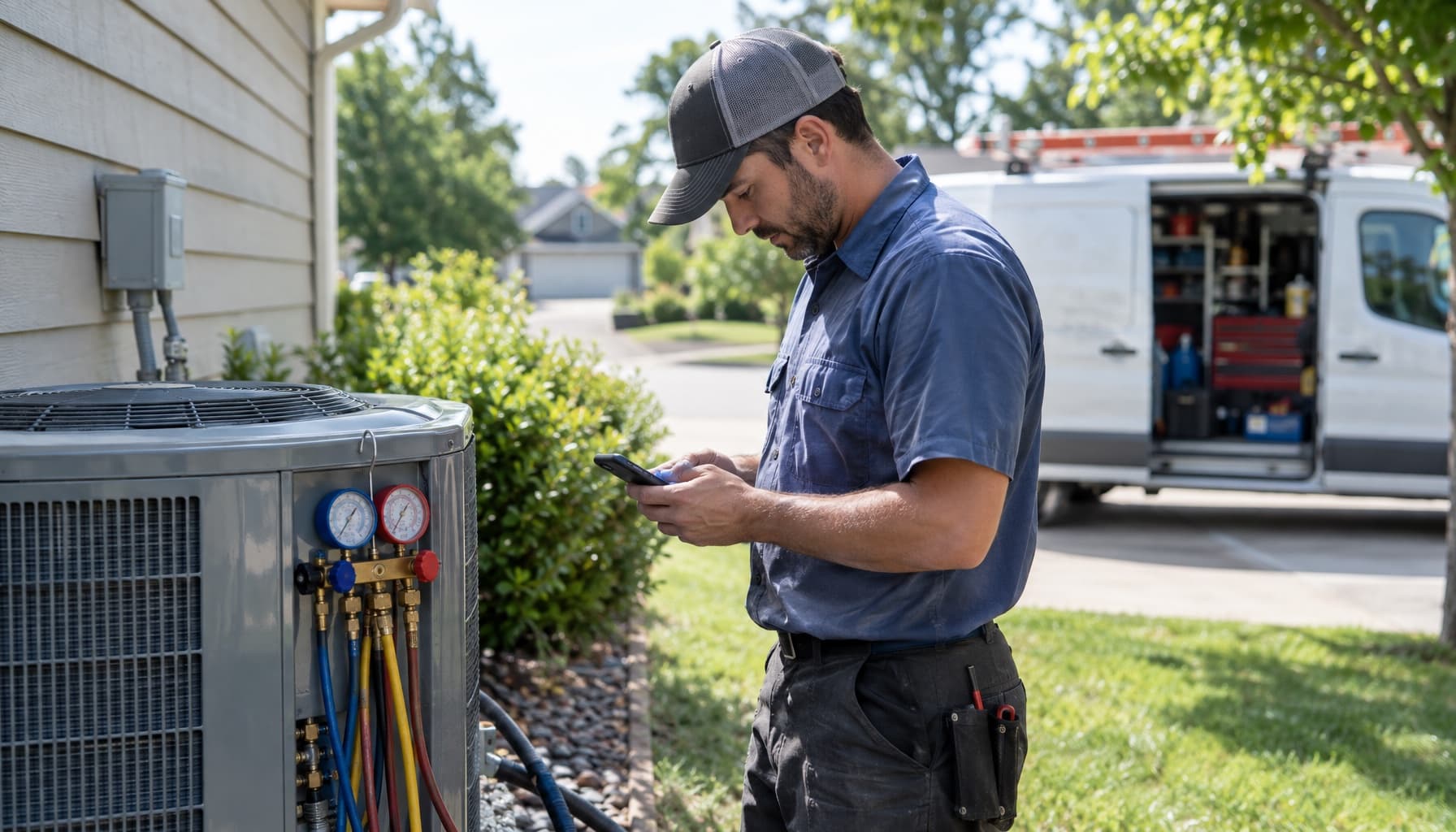
Search for HVAC invoicing software and half of page one is templates. Free PDF, Word, Excel, Google Docs. They all agree on what belongs on the invoice, and they are mostly right about it. None of them can tell you who is going to fill the thing out, or when.
That is the actual problem. A template is a list of blanks. On a 95 degree afternoon in July, with three calls still stacked behind this one, the blanks get filled in by a tired tech from memory, or by the owner that night from a photo of a crumpled work order. The fields on the form were never the hard part.
What an HVAC invoice has to carry
Start with the fields anyway, because HVAC invoices carry more than a plumber's or a painter's, and every missing one comes back to bite you later.
- The diagnostic as its own line. National diagnostic fees mostly land between $75 and $200, and most shops credit the fee toward the repair when the customer approves the work. Show it anyway: the $125 diagnostic on one line, then a line crediting it back. A fee that vanishes into labor teaches the customer it was never real, and the next time you charge it without a repair, you get the phone call.
- Make, model, and serial of the unit. Plus where it lives. "Attic air handler" and "north rooftop unit" mean something to the next tech.
- Refrigerant by type and pound. Invoice guides now quote R-410A at $50 to $80 a pound to the homeowner, and with the HFC phasedown squeezing supply, the pound count is the line customers question first. "Topped off" is not a quantity.
- Part numbers. The capacitor and the control board are the ones that come back under warranty, and the supply house wants the part number, not "board."
- Warranty terms in writing. Parts and labor, separately, on the invoice the customer keeps.
On commercial work the refrigerant line stops being a courtesy. For appliances holding 50 pounds or more, EPA's Section 608 rules require technicians to give the owner an invoice showing the amount of refrigerant added, and owners have to keep service records with the date, the type of service, and the quantity. If your shop takes on a few rooftop accounts, your invoice is now part of somebody else's compliance file. We covered the rest of that world in commercial HVAC service software.
Notice that none of these fields can be reconstructed accurately at 9pm. The serial number is on a data plate in an attic you are no longer standing in. The pound count lived on the gauges.
HVAC invoicing software is a timing problem
Every template guide ends with the same advice: send the invoice before you leave the property. Correct, and it is where most small shops quietly fail, not because they disagree but because writing a clean five-line invoice on a phone keyboard with sweat in your eyes takes ten minutes the tech does not have. So the work order gets finished in the truck, and the invoice gets built later by someone else.
Run the cost of "later." Every day between finished work and sent invoice lowers the odds of getting paid and stretches the time until you do. In our DSO breakdown, cutting collection time from 45 days to 15 freed about $75,000 in working cash for the example shop. None of that came from selling more. It came from invoices that went out the same afternoon.
The second cost is accuracy. The owner reconstructing a ticket at the kitchen table does not know the tech used a 45/5 dual capacitor instead of the 40/5 on the old one, or that he added two pounds, not one. Undercharging from memory happens more than anyone admits, and nobody notices because nobody complains about a bill that is too small.
The invoice is the last thing a tech writes on a job and the only thing the customer keeps. If it gets written from memory, it is a guess with your logo on it.
So when you evaluate HVAC invoicing software, the question is not "does it make invoices." They all do. The question is how many taps it takes a tech in a driveway to produce the invoice above, correct, with the card run before he backs out.
What the invoicing vendors charge, and where they gate it
Invoicing itself is cheap everywhere. The parts that make it work for HVAC are not.
Jobber includes invoices and online payments on Core, $29 a month billed annually or $49 month to month, plus $29 for each extra user. Automated invoice follow-ups, automatic payment collection, and QuickBooks Online sync all start at Connect, $99 a month annual or $139 monthly. The follow-ups are the feature that actually collects money, and they sit one tier up.
Housecall Pro is more generous at the bottom. Basic, $59 a month annual or $79 monthly, includes invoices, automated reminders, and consumer financing. But flat-rate pricing, the pricebook an HVAC tech actually builds invoices from, arrives with Essentials at $149 a month annual. So does the QuickBooks sync. Card processing starts at 2.59%.
ServiceTitan has a strong invoicing module and a sales process to match. It was built and priced for shops with an office staff of their own, which is a different business than five trucks and an owner who still runs calls.
The pattern is the one we keep finding. The entry price makes an invoice. The price that makes an HVAC invoice, from a flat-rate book, chased automatically, synced to your books, runs two to three times that. Our piece on HVAC invoicing software and QuickBooks covers what that sync has to carry once it exists.
Invoices written from what the tech already said
FieldCommerce starts from the timing problem instead of the template. The tech talks through the call the way he would tell it to the owner: bad dual capacitor, replaced with a 45/5, added two pounds of 410A, diagnostic credited. The AI turns that into invoice lines on the job record, next to the model and serial he photographed off the data plate, and he reviews it and takes the card in the driveway, by tap, text-to-pay link, or the card on file. No retyping, and no nightly reconstruction.
Because the invoice lives on the same record as the job, the diagnostic credit, the refrigerant line, and the warranty note are there next spring when the same unit calls again. Invoicing and payments ships whole rather than splitting follow-ups or payments into a higher tier.
Here is a test worth running this week. Pull five invoices from last month and check each one for a serial number, a refrigerant quantity, and a send time. If more than one of them went out the next day, your software is making invoices. It is not making them at the truck.
See how the full service call runs at FieldCommerce for HVAC, or get started and send tomorrow's first invoice before the truck leaves the curb.